What is this?
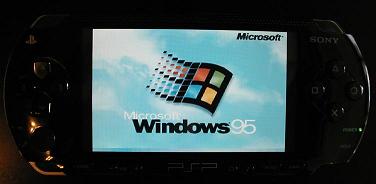
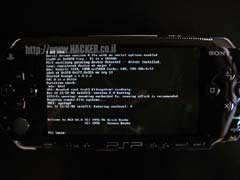
Yes, it's true. I've managed to run Windows 95 and Linux on the PSP. I've done it by porting the excellent open source x86 emulator
Bochs.
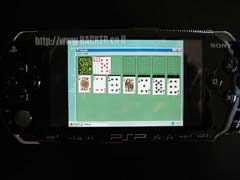
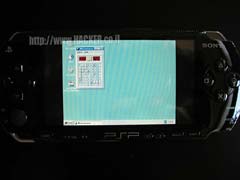
Windows 95 actually runs quite well but don't expect it to be a speed demon. It takes about 10 minutes to boot but afterwards it's pretty usable. I was able to do things like: open "My computer" and browse the virtual hard drive, complete a whole game of Minesweeper and run various other applications. Now you too can get your Minesweeper fix on the go

I've also tested DLX Linux which comes pre-packaged with Bochs and it works just fine. However, I couldn't do much with it because there's no keyboard support. If you want to do your word processing on it then wait until keyboard support is implemented (though I doubt it will be any fun using the joystick).
In windows, mouse handling is extremely difficult. I suspect it has something to do with the "boost" feature windows has. Once you get the mouse moving it will keep moving in that direction even when you're trying to move to a different direction. The solution is to counter the movement by moving to the opposite direction. It's sort of like trying to push the mouse the other way in order to stop it.
Future improvements
- I've used a simple software rescaling algorithm so the entire screen will fit into the tiny 480x272. This of course takes a lot of CPU time and slows everything down quite a bit. It is possible to rescale the screen using the built in 3D hardware acceleration and I will get on it soon.
- The analog joystick should be used for mouse support.
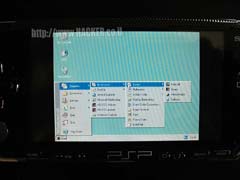
- Some sort of keyboard input should be implemented although you can use the windows virtual keyboard right now.
How to run
1) Create your bochs image and configuration files. I highly recommend installing the OS on a PC before moving it to the PSP (unless you want to spend the next 10 years staring at a progress bar). You can also download some readily available images from here.
2) Download and unzip the files below.
3) If you have 1.0 firmware put the EBOOT.PBP file under the GAME directory (e.g X:\PSP\GAME\BOCHS where X is the PSP drive). If you have a version 1.5 firmware you need to repackage the file using KXploit. I haven't tested it on a v1.5 firmware so I hope it works. It won't work on newer firmwares (v1.51, v1.52, v2.0) because it's impossible to run homebrew applications on them at this time.
4) Create a directory named VM in the root of the memory stick (e.g X:\VM).
5) Copy the disk images and bios files anywhere on the PSP.
6) Edit the bochs configuration file so it will point to your disk images and bios files correctly. Note that on a PSP you have to use the "ms0:/" prefix as the root of your filesystem (see the example configuration in the downloads). Also set the amount of memory your VM will use. Be sure to set it to about 8MB as the PSP will crash if you try to use more (the PSP has about 32MB of RAM total).
7) Rename the bochs configuration file to "bochsrc.bxrc" and put it under the VM directory. This is the only real requirement as the path to the configuration is hardcoded. You can put the rest of the files wherever you want as long as the configuration file points to them correctly. See downloads section for sample script.
8) Run bochs and hope for the best.
Keys
Directional keys - Mouse movement (press repeatedly)
SQUARE - Left mouse button
CIRCLE - Right mouse button
CROSS - Middle mouse button
START - Opens the windows start menu
SELECT - Quits immediatly (though you should shutdown windows instead)
Download
Important note:
By downloading the file you agree that I am not responsible for any damage caused by this software. I use the "overclocking" feature the PSP has to make the CPU work full speed at 333mhz. Nobody is sure how it affects the PSP. Also, the virtual machine sometimes writes a lot of data to the flash memory stick which could shorten it's life.
Bottom line, If your PSP starts bursting into flames after running this, don't blame me.
PSP binaries
Samples bochs script for DLX Linux
Sources (coming ASAP)
Screenshots
My
ScummVM port to Nokia Series 60 cellphones (you can read about it
here)
Python for Series 60 (never released)
Matan Gillon (matan <[_at_]>
hacker.co.il)
12/08/2005
------------------------>این تنها کاری بود که میتونستم برات بکنم<-----------------------











 Google